


Article summary
A few years ago, I wrote about the difference between UI and UX design, using the example of Joanna, a busy mom, hiring a designer to help design storage containers to organize her kitchen.
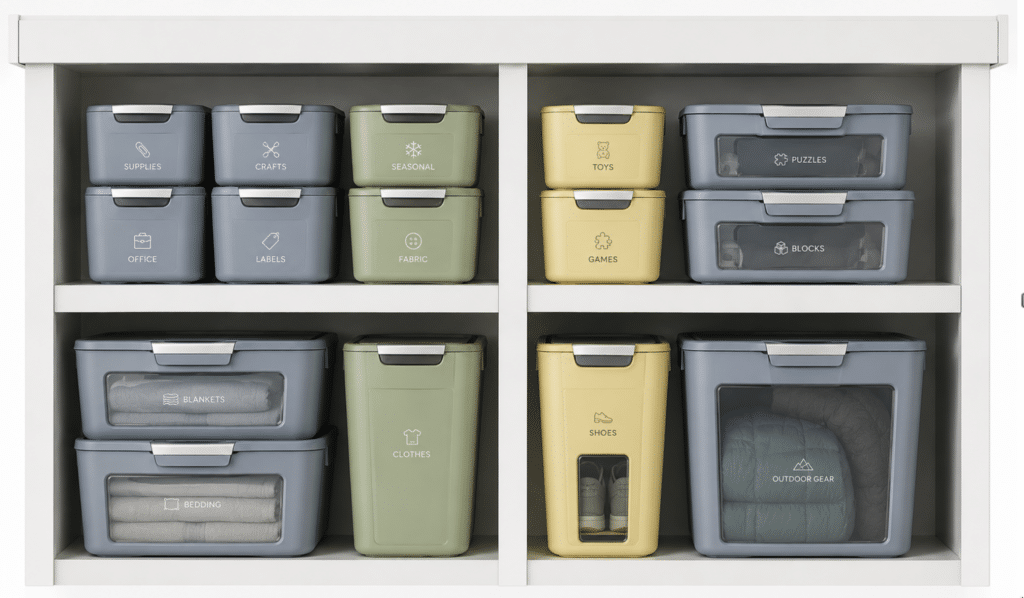
Ira, the UI Designer, designed beautiful, ergonomic containers that were more than she had hoped for, but they didn’t solve Joanna’s problem. They weren’t used as intended, and ended up adding to the disorganized mess.
Xander, the UX designer, came in later, and instead of getting to work designing containers, he started by understanding the problem – Joanna’s goals, habits, space, and constraints – and ended up creating a weekly organizational system that actually worked for her life and solved her problems in a way that containers never could.
My point was that you can have amazing UI (beautifully designed containers) and still fail if you’re solving the wrong problem (an underlying organizational system). That’s why UX work—research, understanding, problem framing—is essential before creating a solution.
But something important has changed since I wrote that post: we’re now working alongside AI.
Add AI
Imagine Joanna’s story in a world of instant solutions, where AI agents can design custom solutions, build them, and they can be melted down and recycled for endless iteration. Instead of waiting weeks and investing hundreds or thousands for custom containers, she could consult with AI, receive a custom solution, and if it doesn’t work, melt it down and try again the next day.
In this version of the story, Joanna can say, “Show me a color-coded bin system,” and it appears. If that doesn’t work, she can say, “Actually, try open shelving,” and the containers vanish and become shelves. If that doesn’t work, she can brainstorm with AI for another idea. Maybe a container-shelf hybrid no one has even thought of yet.

That’s what working with AI feels like in digital product work. In the world where Ira and Xander first met Joanna, “jumping into solutions” was risky because building each solution was expensive. In the AI world, jumping into solutions can be a powerful way to learn—because we can try and discard many more options, much more quickly.
Why the Problem Still Matters
But that doesn’t mean the problem suddenly doesn’t matter. Even if Joanna can 3D-print infinite organizing systems, without a clear sense of the problem, her new powers just let her create infinitely beautiful, wrong solutions.
The same is true with AI. You can generate a hundred polished UI options, but:
- Which one actually fits your users’ needs and constraints?
- Which one fits the business context and technical reality?
- How will you know when you have a “good enough” final solution?
Those answers still depend on how well you understand the problem – how well you understand the Joanna behind the kitchen: her goals, constraints, and habits. Otherwise, you’ll get gorgeous AI-generated containers that end up in the metaphorical donation pile.
Outputs, Not Answers
In my original post, I wrote about why UX designers resist the request to “just design the container.” They know that if they don’t understand the problem, the beautiful interface might not solve real problems for real users.
In an AI-powered world, I wouldn’t tell you to resist diving in and designing containers. I’d say absolutely, generate containers. And shelves. And wild hybrids. Use AI to explore more possibilities than you ever could before. But treat those outputs as experiments, not answers. Use them to learn more about the problem, not to skip understanding it.
AI has removed much of the cost and risk of trying solutions. It hasn’t removed the need to know what problem you’re solving, who you’re solving it for, and how you’ll know when you’ve actually solved it.
That’s still the heart of UX.