


Article summary
Perhaps due to working with AI coding agents inside of a VM, I’ve found myself spending more time in terminal applications lately.
Terminal Applications
In addition to the agent harness applications, I’ve also been using several other TUI (Terminal User Interface) applications heavily.
- lazygit – a terminal UI for git that makes complex operations simple.
- lazydocker – a simple, terminal-based UI for managing Docker containers, images, volumes, and services.
- btop – a terminal monitor of resources.
I’ve never been good at keeping my terminal windows organized (or my desk, or desktop, or really anything). So, when I read that a former co-worker had been enjoying using a modern terminal multiplexer called Zellij (pronounced ZEH-lij), I was intrigued:
Zellij is a workspace aimed at developers, ops-oriented people and anyone who loves the terminal. Similar programs are sometimes called “Terminal Multiplexers”.
Why Zellij?
Many years ago, I used screen when remote pairing with Vim, but it never stuck for local usage. And I’m aware of tmux. I have installed it and played around with it a few timesover the year, but again, it just never stuck. I just wasn’t motivated to look up the keyboard shortcuts, or deal with shortcut collisions.
But it’s been different with Zellij (which works in Linux and Windows as well as macOS). There’s an option to use a non-colliding keyboard preset (the “Unlock-First” preset), where you press Ctrl g to unlock the other keyboard shortcuts. And when you do that, a status bar at the bottom shows you a menu of keyboard options you can press for various features. It’s completely discoverable. That is so great when you’re just getting started.
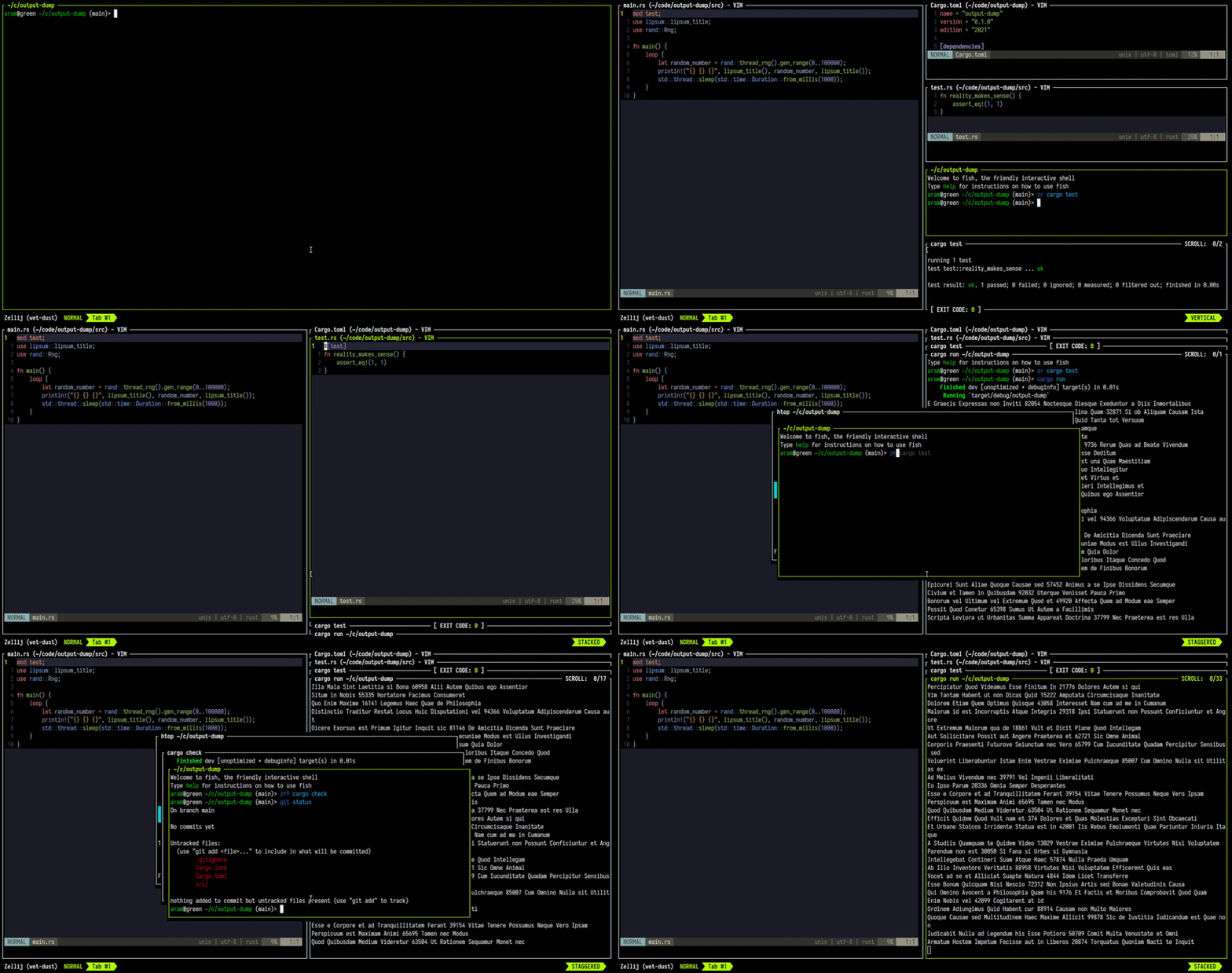
To be honest, I don’t know which of these features are specific to Zellij (as opposed to other terminal multiplexers), but here are some of the things I’ve found extremely useful, having used the tool for a month or two now:
- Floating Panes – movable, resizable panes that float above the other terminal splits.
- Multiple tabs – I’ve been experimenting with tabs for agent TUIs, a tab for lazygit, and a tab with terminal splits for various command line work.
- Being able to detach from and then reattach to a session. I no longer feel the need to keep every single terminal open because I’ve got things setup correctly – I can just detach and know that I can reattach later when I’m working on that project or task.
- Scrollback editing – you can easily open the full scrollback in Vim. Perfect for searching through a huge buffer of console output. It also means I can experiment with terminal emulators that don’t have great search support!
Terminal Emulator
Another thing that Zellij has allowed me to do is experiment with terminal emulator programs besides iTerm2. Each time I experiment with another program, I eventually run into something that doesn’t work as well as it does in iTerm2 – usually the ability to search the scrollback buffer. But with Zellij providing pretty much all of the functionality I need, it doesn’t matter which terminal program I’m using. After watching some of the tutorial screencasts from the Zellij creator, I’ve been using Alacritty. It’s fast, doesn’t use a ton of memory, and it’s minimal feature set conflicts less Zellij than any of the other apps I’ve tried.
If you haven’t been using a terminal multiplexer, or you just want to check out something new, I strongly encourage you to install Zellij and give it a try. The discoverable interface makes it super easy to get started!