

Article summary
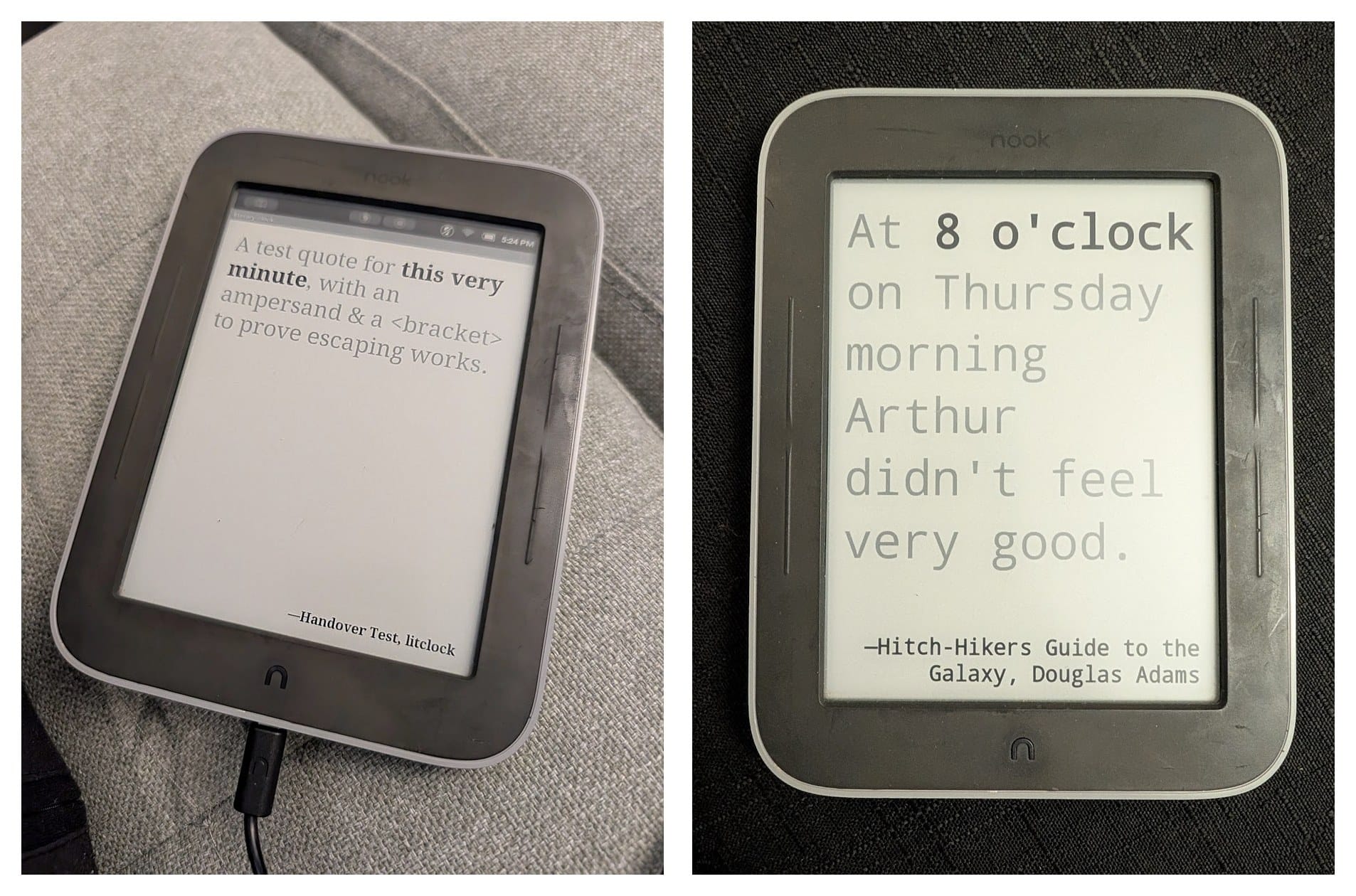
My close friend’s birthday was coming up and they’re hard to buy for. They buy themself all the things they want, so I set out to give them something I made, something that couldn’t just be purchased off a shelf. They have a tech background and love to write, which brought to mind a project I had seen online years ago, where someone had built a “literary clock” out of an old e-reader. I happened to have an old B&N Nook Glowlight lying around.
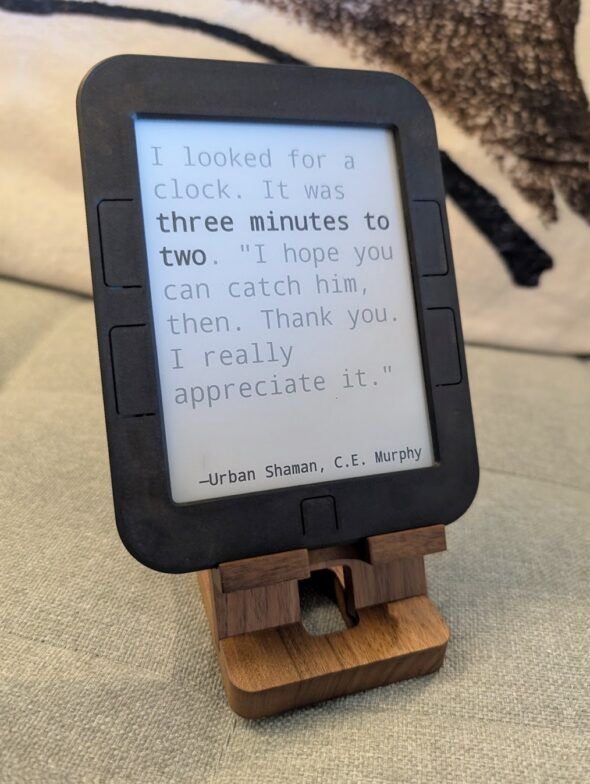
What is a literary clock? It’s a screen that tells the time through book quotes. Each minute a different quote is displayed that includes the current time.
Well, I can make that. How hard could it be?
Some universal, demonstrable lessons
At first, Claude and I worked through chat, which was a slow back-and-forth. When I told Claude my frustration, it suggested connecting directly to the Nook over Wi-Fi. It moved so much faster at figuring out the existing ecosystem than I could, which was fascinating and a little unsettling, so I asked it to slow down and teach me how it was debugging.
1. Treat confident AI answers as a starting point.
The recovery menu kept freezing after every step, and Claude confidently told me to hold the power button down for 30 seconds and try again. That didn’t work. After playing around with it, I found it needed a specific pattern of holding and releasing before it would reboot. Claude was right about the power button, but not about how to press it.
2. Have grit and pivot.
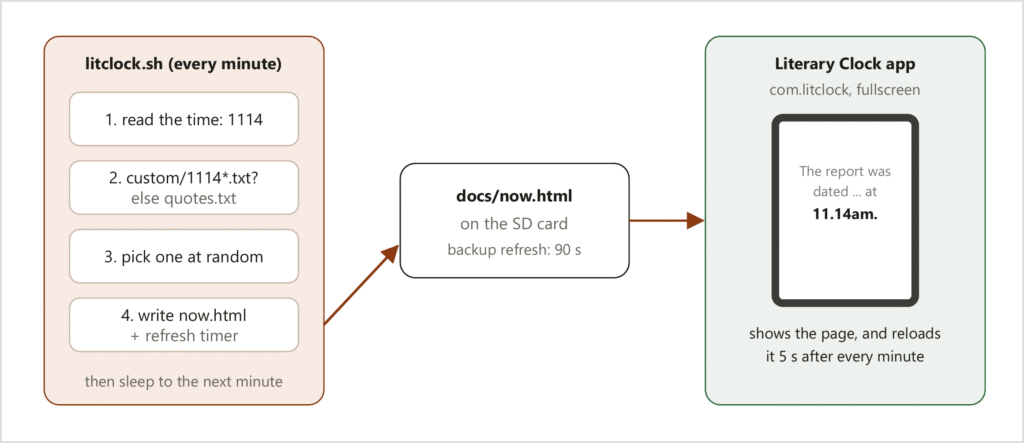
My first two plans were a custom screensaver and a web app in a lightweight browser called Opera. Neither worked. The screensaver couldn’t reliably keep the correct time. Opera wouldn’t install, and the Nook’s error messages were too vague to tell me why. Once connected, Claude read the Nook’s system log and within about a minute found the real reason. The Nook’s Android was too old to verify Opera’s installer. But we discovered a basic web viewer was already on the device, so we used that instead.
3. Use it like your users will.
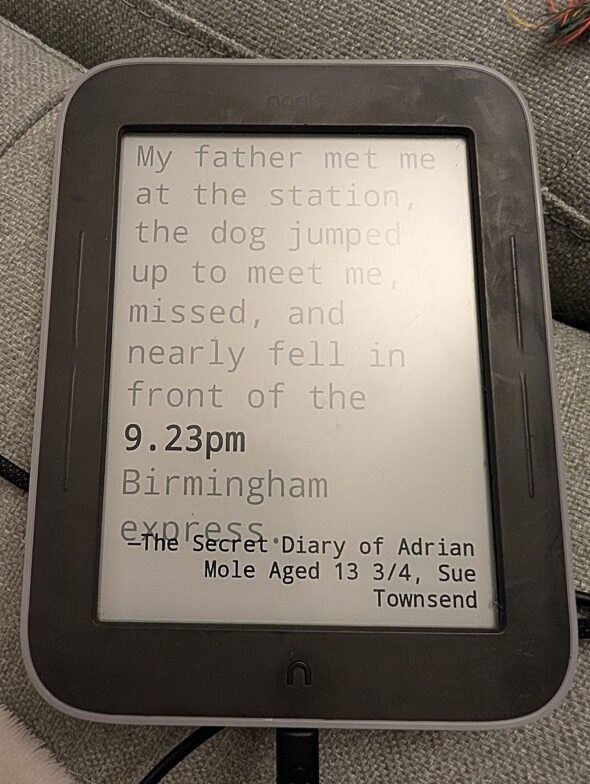
I let it run on my desk for a few days as I went about my day. Whenever something looked off, like a quote’s credit cut off at the bottom or text running off the right edge, I snapped a quick photo. Later, Claude and I would work out the cause. We ended up adding many rules around quote length and text size that I originally didn’t think were necessary. (Yes, please laugh with me at that last sentence.)
4. Plan for things to break.
Occasionally the clock would get stuck on one quote, and we couldn’t figure out why. So I built a watchdog that checks whether the screen changed after each new quote and restarts the viewer if it didn’t. I left it on overnight, and in the morning Claude found the watchdog had stepped in once. It worked, and I had a failsafe in place.
4. Ask anyway.
It turns out a lot of limits are self-imposed but if you’re curious enough, you can ask anyway and challenge your assumptions.
Status Bar. The Nook has a bar across the top with the Wi-Fi, light, clock, and other icons, and I figured there was nothing to be done about it. I asked Claude anyway: “can I assume there’s no way to get rid of the bar at the top?” It surprised me by showing me how to override it to make the clock full screen, with no bar at all. Neat-o.
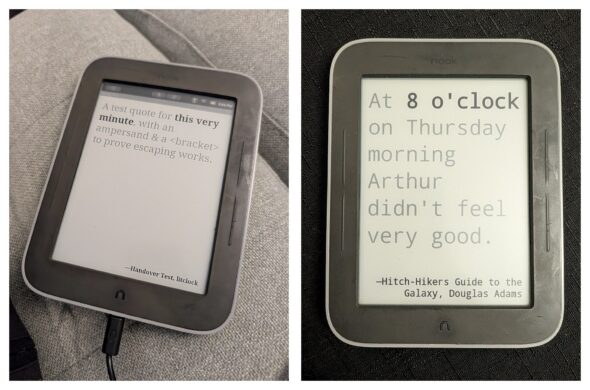
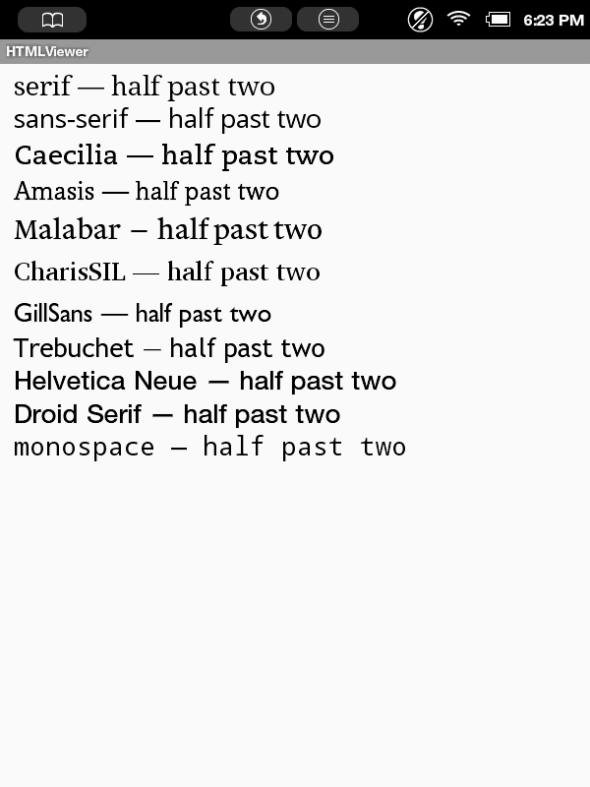
Custom Font. I started to research the perfect font (if you know, you know), then I paused to check if it could even be changed. It turned out I only had choice of ten fonts built into the Nook, because Android 2.1 is too old for custom ones. Asking paid off in another way. It’s how I switched from the image collection of each quote to plain text the Nook lays out itself, so the font AND quotes themselves became editable. I went with Monospace.
So I didn’t really know where the limits were until I asked. Sometimes the wall I expected was non-existent, and sometimes there was a barrier I did not expect. Asking anyway is also how the clock ended up with some delightful hidden easter eggs, which I will refrain from describing so they stay a surprise to my friend.
None of these lessons are specific to old e-readers, and I had learned many of them before. Still, it’s always good to have the reminder, and a small side project is a nice chance to step back and reflect.
Where it is now
I swapped the degraded old case for a new 3D printed one, cleaned up the workshop, Claude tidied and labeled the files, and we worked together on a human-friendly user manual and an AI-friendly context file, so either a human or AI can keep iterating. All of it, with the source code, went on a flash drive that I gifted with the clock.
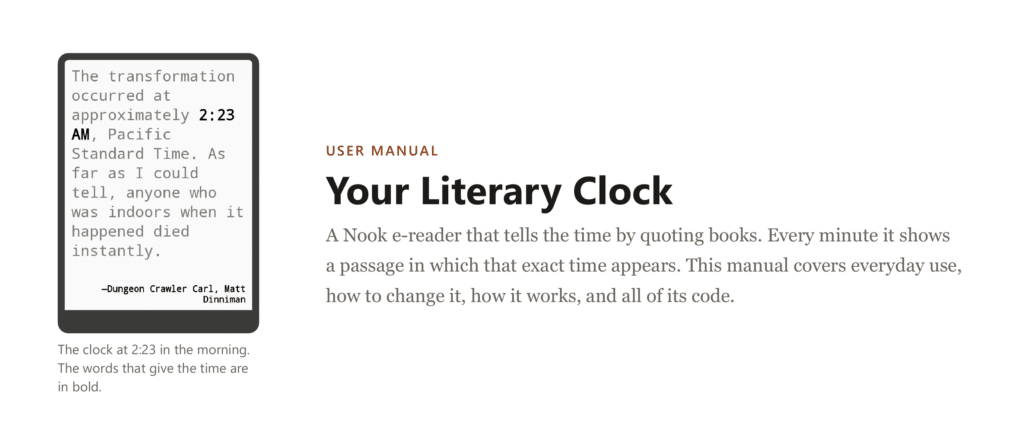
After all the effort I put into making sure it worked, the first thing my friend did was say “oh cool,” turn it sideways, and ask, “does it rotate?” Which exemplifies our last reminder, your users will always find things you didn’t think of and show you how they expect a product to work.
Dear reader: it never occurred to me to display the quotes horizontally. My brain was stuck on it being an e-reader, which sits upright like a book. Obvious in hindsight.
I am certain I could have done parts of this build better and more efficiently. I am not certain I would have learned as much, or had as much fun. If you have an old device in a drawer and enough curiosity, maybe you have the right ingredients to teach your old tools new tricks.
Credits
This build leaned on a lot of work other people shared:
- Literary Clock Made From E-reader, by tjaap on Instructables
- literaryclock, by elegantalchemist on GitHub
- literaryclock-kobo-nook, by diggedypomme on GitHub
- literature-clock, by JohsEnevoldsen on GitHub