

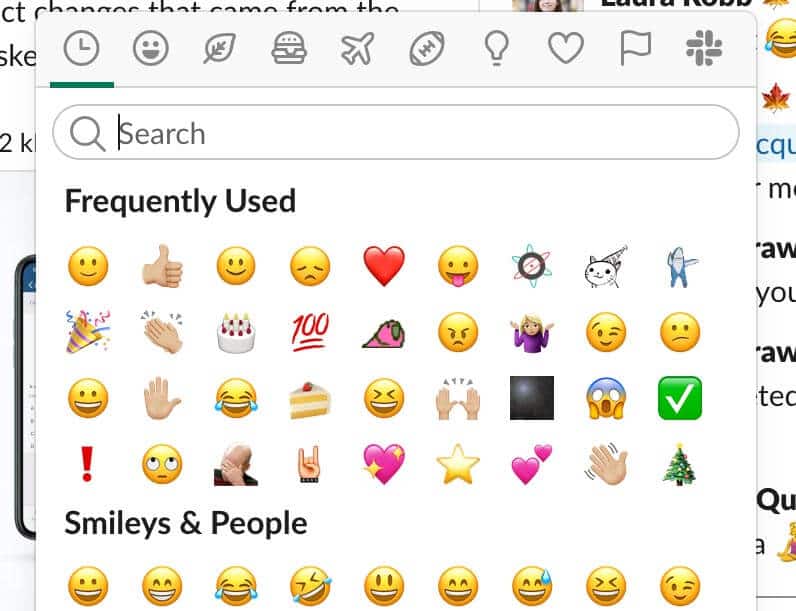
Custom Slack emojis are a big part of Atomic Object’s culture, with everyone developing their own emojis and funny ways to use them. There’s something uniquely satisfying about sending a message and getting a colorful, playful response from your teammates. It’s a small but meaningful way to connect with those around you and create a shared sense of camaraderie.
This Spin post describes how leaving space for these small, playful interactions strengthens relationships and teamwork, and over time, things like emojis can foster greater collaboration and communication between teammates. Recently, our team screenshotted our frequently-used emojis and tried to match them to their owners—and surprisingly, it was easy because people’s emoji usages are memorable and meaningful!
The Problem with Making Custom Emojis
When I started at AO, my emoji game was fairly basic: default emoji keyboard options and the occasional party parrot emoji. Over time though, I’ve leaned into the silliness of responding to internal work messages with goofy custom Slack emojis, which led me to the Slackmojis website with easy-to-download custom emojis and my eventual love of Kermit and other frog emojis. As of late, however, I’ve needed more customized emojis to fit my work communication.
 Part of the problem is that I often see something I wish was an emoji, and if I can’t find it on the Slackmojis website, I have to screenshot it, remove the background, save it as a PNG, and upload it to Slack. It’s not a huge amount of work, but it’s enough friction to slow down the creation of more custom emojis. For instance, a coworker recently made a ChatGPT-generated t-shirt design from a funny conversation we had, which would’ve been a perfect time to make a custom Slack emoji of it.
Finding Inspiration and Building an Easy Tool
Inspired by a recent Spin post about fun technical side projects, I decided to build my own tool for creating custom emojis from the command line. I started by asking ChatGPT to help outline the steps and time estimates. Then from there, I installed the necessary packages, set up an API key to remove image backgrounds, and wrote a Python script to automate the process.
Now, I can easily run my script from the command line, and it will take my screenshot, remove the background for me, and download it to my Downloads folder. Once it’s downloaded, I can upload to Slack as a custom emoji. It was a quick win, and it made me realize that making small tools like this are not too difficult but add extra ease to life.
If you want to level up your custom emoji game, I’ve included the steps for making this tool below. Enjoy!
Level Up Your Own Emoji Game
First, create a separate directory for your new tool. Then create a virtual environment in your new directory.
python3 -m venv venv && source venv/bin/activate
Next, install necessary packages, a Python HTTP library and image processing library. These will allow us to process the image and make the requests to remove the background.
pip3 install requests pillow
Then, create a new file “snap.py” and paste in this Python script.
import subprocess
from pathlib import Path
from datetime import datetime
import requests

API_KEY = "YOUR_API_KEY"

# Set file location and file names
downloads = Path.home() / "Downloads"
downloads.mkdir(parents=True, exist_ok=True)

timestamp = datetime.now().strftime("%Y-%m-%d_%H%M%S")
raw_path = downloads / f"snap_{timestamp}_raw.png"
final_path = downloads / f"snap_{timestamp}.png"

# 1. Take screenshot
print("📸 Select an area for your screenshot...")
subprocess.run(["screencapture", "-i", str(raw_path)])

# 2. Send to remove.bg API
print("✨ Uploading to remove.bg...")
with open(raw_path, "rb") as f:
    response = requests.post(
        "https://api.remove.bg/v1.0/removebg",
        files={"image_file": f},
        data={"size": "auto"},
        headers={"X-Api-Key": API_KEY},
    )

# 3. Save image
if response.status_code == requests.codes.ok:
    with open(final_path, "wb") as out:
        out.write(response.content)
    print(f"✅ Saved screenshot without background to: {final_path}")
else:
    print("⚠️ Error:", response.status_code, response.text)
To use the API for removing the background, go to www.remove.bg, sign up for a free account, and get an API key (allows 50 calls per month for free, which is a bummer for those whose custom emojis needs are higher than that 😔).
Next, copy the API key and paste it into your script as the value for “YOUR_API_KEY.”
Lastly, to execute the script and use the tool, enter this command into your terminal.
python snap.py