

Recently, I have found myself working on a project with an Angular-based user interface. I quickly realized I was in unfamiliar territory within the components. I discovered one of my biggest questions was on something called bindings. These play a central role in how Angular ties data to user interface elements while keeping a single source of truth. They can definitely be confusing at first—especially as a junior developer—but once they click, it really clicks. In this post, I want to share what I’ve learned to make that learning curve a little easier for you.
How Data SHOULD Flow
As a prerequisite, we should first glance over how data should flow (generally) in modern web applications.
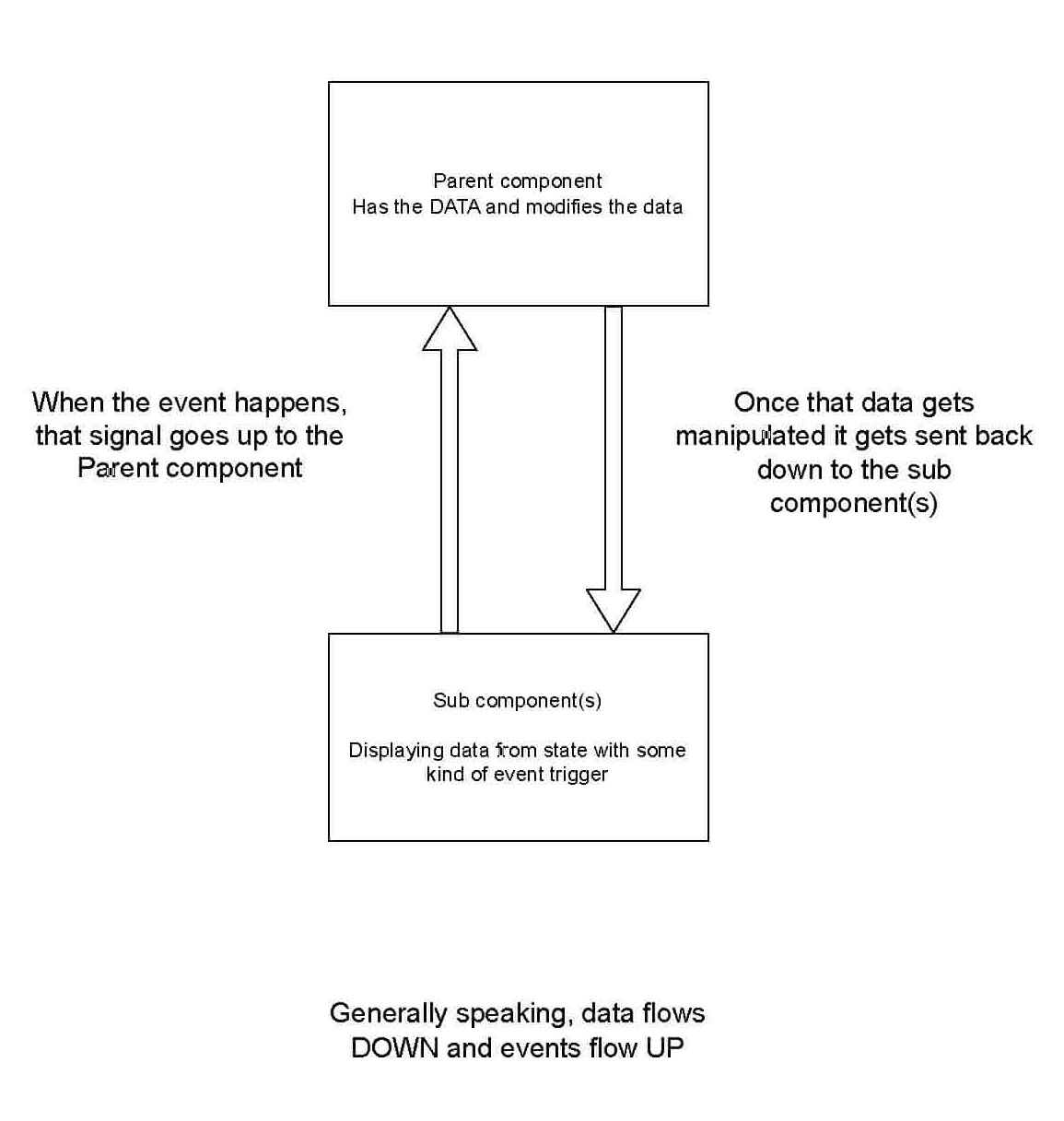
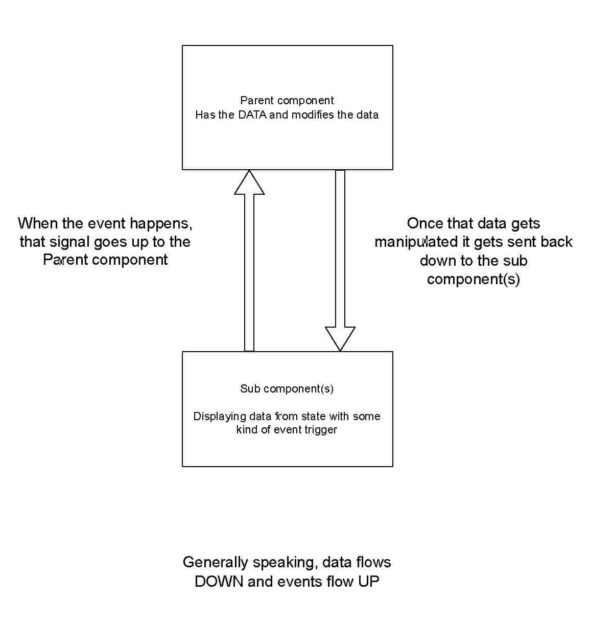
In the model below, there is a parent component that stores and manipulates the applications data. The parent is the single source of truth that all the child components can read from. These child components display the data passed down from the parent component and can emit an event signal to update the data. This eliminates shared state issues and validates that the child components are working with the most up-to-date, accurate data. There are some exceptions, but generally speaking, data flows down, and events flow up.
The Snowboard Shop Example
This example demonstrates Angular’s data flow in a real-world scenario. Imagine you are developing an application for a snowboard rental company, and two shops are using your application to keep track of their snowboards in stock and available for rent. You have three snowboards available in your warehouse.
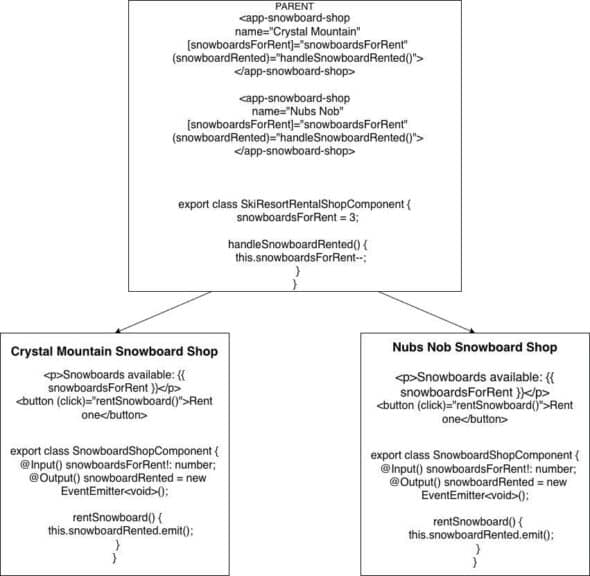
The parent component owns the single state (number of available snowboards) and passes that data down to the child components through inputs. Each child can display that number, letting the shop know how many boards are available. The child can also request updates by emitting events up to the parent through outputs to try to rent a snowboard. When the parents’ state gets updated (a snowboard gets rented) the number of snowboards decreases. That change then gets reflected in both components automatically, thus keeping both shops in sync and running smoothly.
The main takeaway here is that the children never change the data directly, but rather request that parent data be changed in the parent. This pattern scales naturally; whether there are two shops or 20, the behavior works the same. If we had manipulated data in the child component, and at Crystal Mountain somebody rented three snowboards, then Nubs Nob would not know! I am sure you can see how this would lead to problems.
An important note is that the connection between the parent and child components is not from importing the parent component, or being an instance of the parent component. The children don’t know where the data comes from. The relationship comes entirely from how inputs and outputs are bound on the child components.
Two-Way Bindings
Since this is an article about Angular bindings, I would be remiss to not mention two-way bindings. That is a binding where data can both flow from the parent to the child and from the child to the parent automatically. This is done by combining an input and an output into one binding. The syntax in the parent would look like [(property)] in the parent. This binds the value down to the child component while also listening for the signal that it has been requested to be updated.
The child would have to have the @Output tag with the name propertyChange for that example. For this to work, the output name needs to be the input name with ‘Change’ appended to it. This consolidates the input and output bindings into a single binding in the parent. This is useful in cases like forms where updating can be safely automated. It is very important to be selective when and where this makes sense.
That Aha! Moment
At some point while working through Angular components, I had an “aha!” moment where everything finally clicked. I realized that I was not missing some file or import that was doing the heavy lifting. Angular wasn’t passing objects around or creating hidden relationships between components.
It was simply the names of inputs and outputs tying everything together and wiring data and events up and down the component tree. Once that mental shift happened, the data flow stopped feeling abstract and started feeling intentional. This pattern can feel unintuitive at first, especially if you’re coming from an object-oriented programming background. Do not feel discouraged if Angular bindings feel confusing at first. That lightbulb moment will surely come for you, too. When it does, the framework suddenly feels a lot more predictable and a lot less intimidating.
In summary, Angular bindings let a parent control the state while children stay independent and reusable. Data flows down, events flow up, and everything stays in sync automatically. Once you shift your thinking to terms of data flow instead of object relationships, Angular’s design starts to make a lot more sense. Mastering this pattern makes your components predictable, scalable, and easier to maintain. I hope this helps you pick up Angular development faster and feel clear about what is happening in these components!