

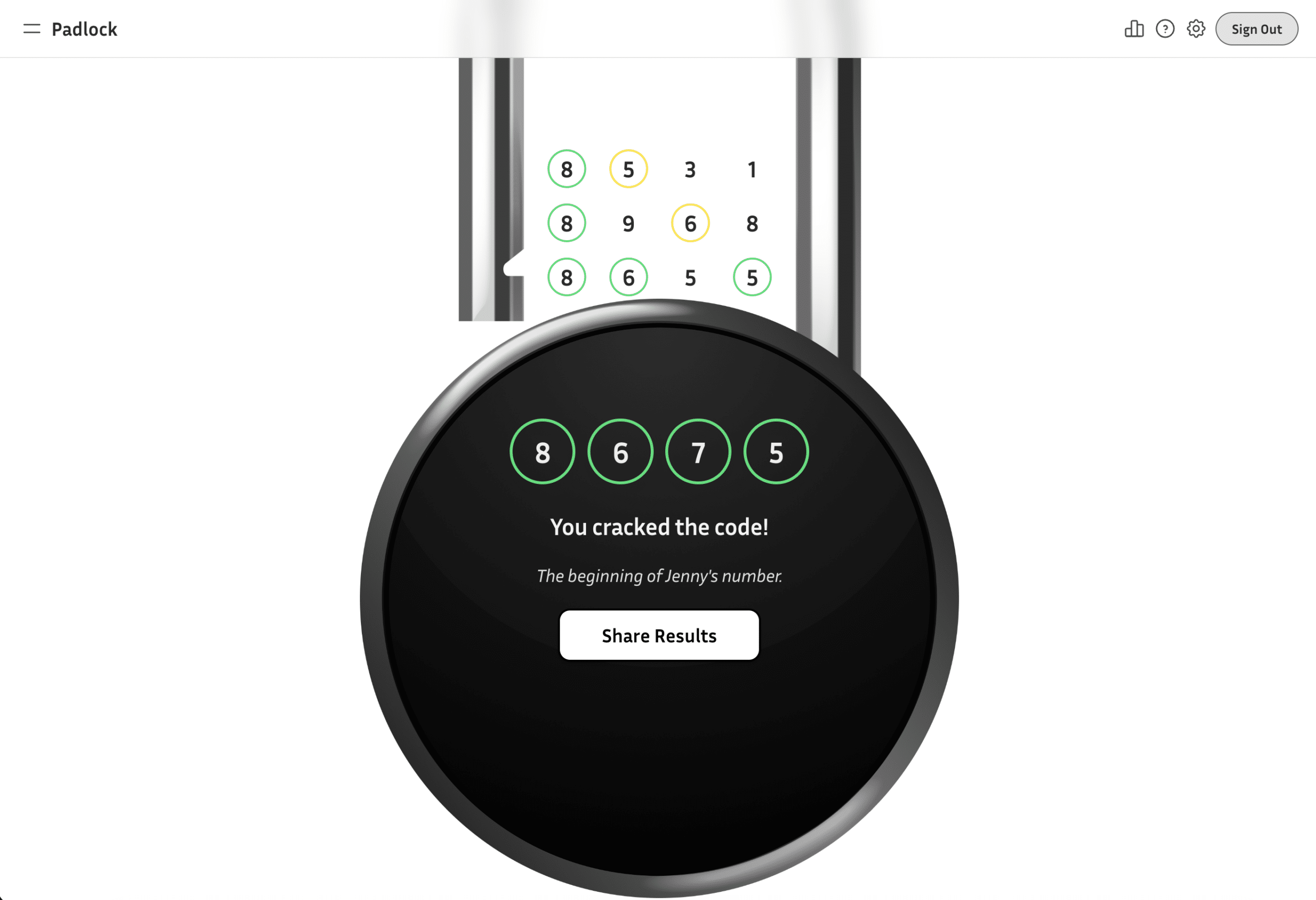
In a previous post, I wrote about the idea of “launching a product in one day.” Today, let’s talk about how I took the initial idea and turned it into a working prototype.
In the first phase of building my puzzle game, I wasn’t thinking about deployment or databases. I was thinking about mechanics, and whether the core loop was strong enough to justify building at all. Once that was clear, it was time to move from paper to pixels. And that’s where design tools, not code, came first.
Wireframing the System, Not the Style
I opened Figma with no intention of creating a beautiful interface. The goal wasn’t branding, visual polish, or differentiation. It was structure.
I started with a simple grid-based layout, heavily inspired by Wordle—familiar, functional, and deliberately generic. That familiarity let me focus on interaction instead of aesthetics. How many rows feel right? Where should feedback appear? Does the keyboard layout slow the player down? Is the hint logic understandable without explanation? These were the only questions that mattered at this stage.
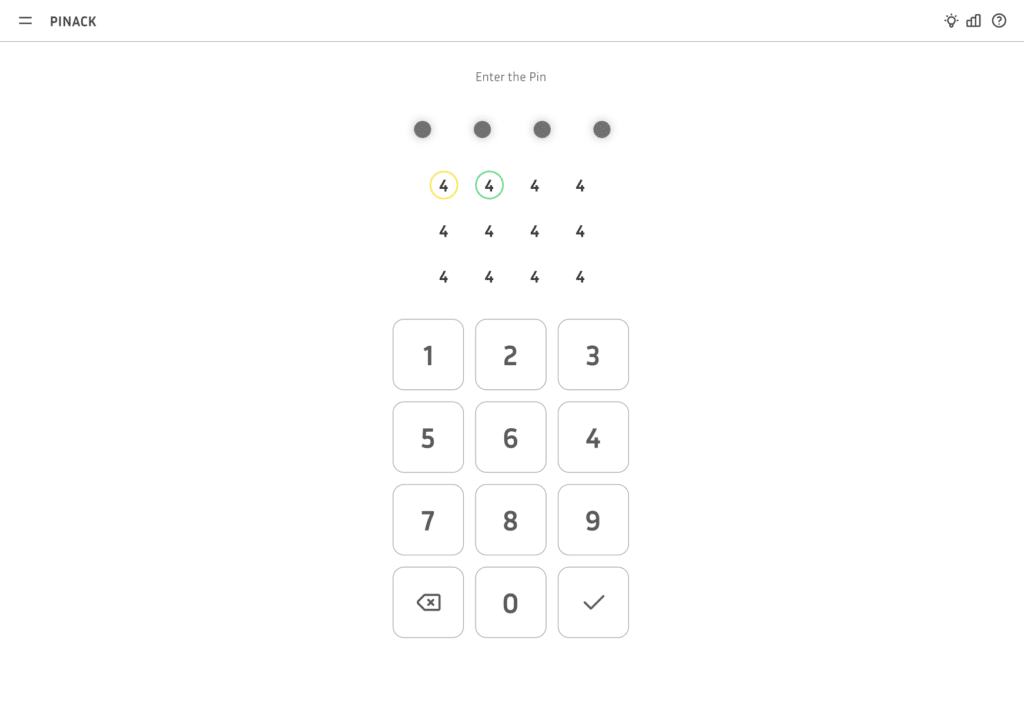
The early wireframes didn’t look anything like the final product, and they weren’t supposed to. They were scaffolding. As a product designer, I’ve learned that separating structure from style keeps you honest. If an interaction only works because it’s beautifully designed, it probably doesn’t work.
Using Figma Make as a Functional Sandbox
Once the wireframes felt stable, I took the next step: building a lightweight interactive prototype using Figma Make. This turned out to be a critical moment in the process.
Instead of jumping into a production stack, I used Figma Make to generate a demo-level version of the game with a working input grid, randomly generated codes, basic guess feedback, and a clickable keyboard. What it didn’t have was persistent logic. No database, no stored daily code, no real hint engine. It was essentially a sandbox: enough functionality to feel real but lightweight enough to change instantly.
That flexibility was the whole point. I could now test something that behaved like a game without investing weeks in engineering decisions.
Alpha Testing in the Real World
Not long after, I brought the prototype to a family gathering. There’s something uniquely clarifying about watching someone play your product without any context. They don’t read documentation. They don’t understand your mental model. They just click.
Within minutes, I saw friction points. Some players hesitated on input. Others misunderstood the feedback indicators. A few instinctively expected behaviors I hadn’t even considered. None of these were catastrophic, but they were revealing. And because the prototype lived in Figma Make, adjustments were fast. Interaction tweaks didn’t require backend refactors. UI shifts didn’t risk breaking logic.
By the end of the alpha phase, I had more than a validated mechanic. I had early behavioral data, and I knew where players paused, where clarity broke down, where the experience fell short of their instincts. Only then did I feel ready to build the real version.
Moving Into Implementation (As a Non-Developer)
This is where AI-assisted development became genuinely transformative for me.
My background is in product strategy and design. I understand systems, user flows, and architecture conceptually, but spinning up a production-ready web stack from scratch was not something I could have comfortably done alone a few years ago. This time, I used Cursor as my development environment and treated it as a collaborative partner.
I set up the project on a TypeScript-based React app with Firebase Authentication, Firestore for storing daily codes and user stats, and Firebase Hosting for deployment. Rather than copy-pasting from random tutorials, I worked iteratively—providing context, referencing the design documents I’d already written, and rebuilding the UI structure from the prototype, now backed by real logic.
The game now had a true hint engine, persistent daily codes, stored user attempts, real streak tracking, and database validation. This was no longer a demo. It was becoming a system.
That foundation of product thinking from Phase One paid off here in a concrete way. Because the rules were clearly defined upfront, the implementation didn’t drift. When logic bugs appeared, they were easier to isolate. When something felt off, I could refer back to the original intent rather than guess. AI accelerated the process, but it didn’t remove the need for decisions. I still had to choose structure, evaluate tradeoffs, and debug edge cases. The difference was that I was no longer blocked by syntax. For the first time, I could focus on system behavior instead of fighting tooling.
Another Round of Real Testing
Once the implementation stabilized, I released a playable beta to a small group of friends and family. This round was different from the prototype phase because now everything was real, including the logic, the database, the daily resets, and the stored stats. And real usage exposed new layers of friction: streak tracking needed more clarity, the sharing flow needed refinement, edge cases around repeated digits surfaced, and mobile spacing required adjustment.
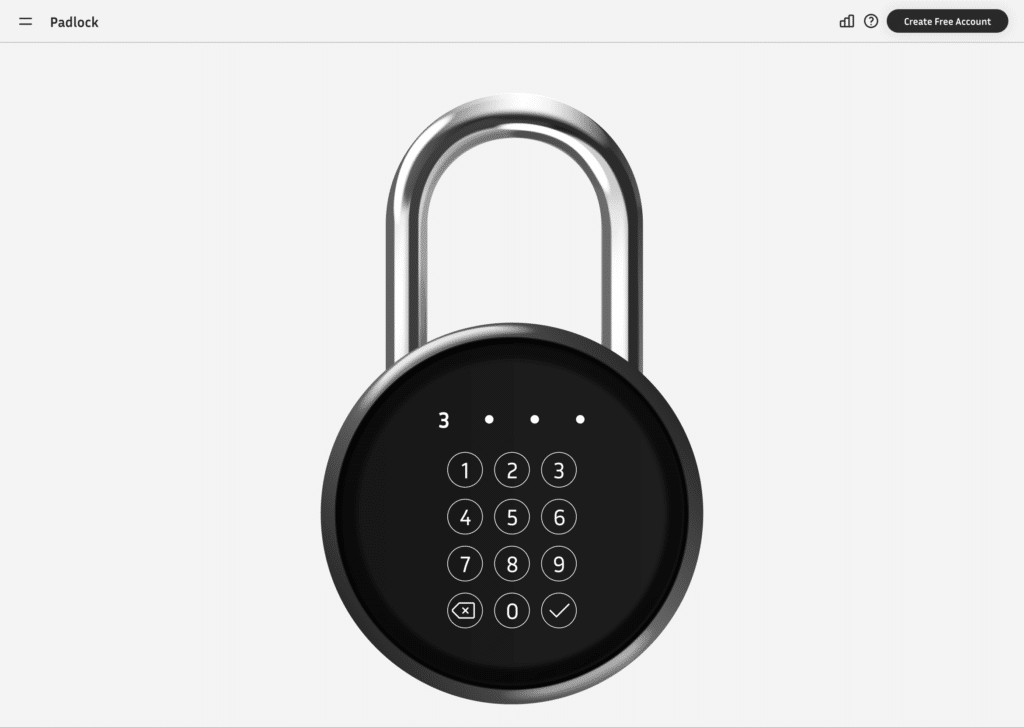
This was also the stage where I introduced a new visual direction, moving away from the Wordle-inspired structure and leaning into a padlock metaphor with custom graphics and subtle animations. Because the core logic was stable by then, refactoring the visual layer didn’t require tearing apart the foundation. That separation—system first, style second—made iteration far safer than it would have been otherwise.
The Bigger Insight
From the outside, it might look like AI made this easy. It didn’t. It made it possible.
There were multiple rounds of refinement: prototype to alpha, alpha to implementation, implementation to beta. Logic adjustments, UI shifts, database cleanup, and hosting configuration. None of it happened overnight. But the combination of disciplined product thinking, strong design tooling, and AI-assisted development created something I couldn’t have built this efficiently a few years ago.
In a final post, I’ll share what happened when I finally launched publicly—including the fear of announcing it, what the first week of usage looked like, and what I learned about shipping something small but complete. Because building the product is only part of the story. Letting the world see it is something else entirely.